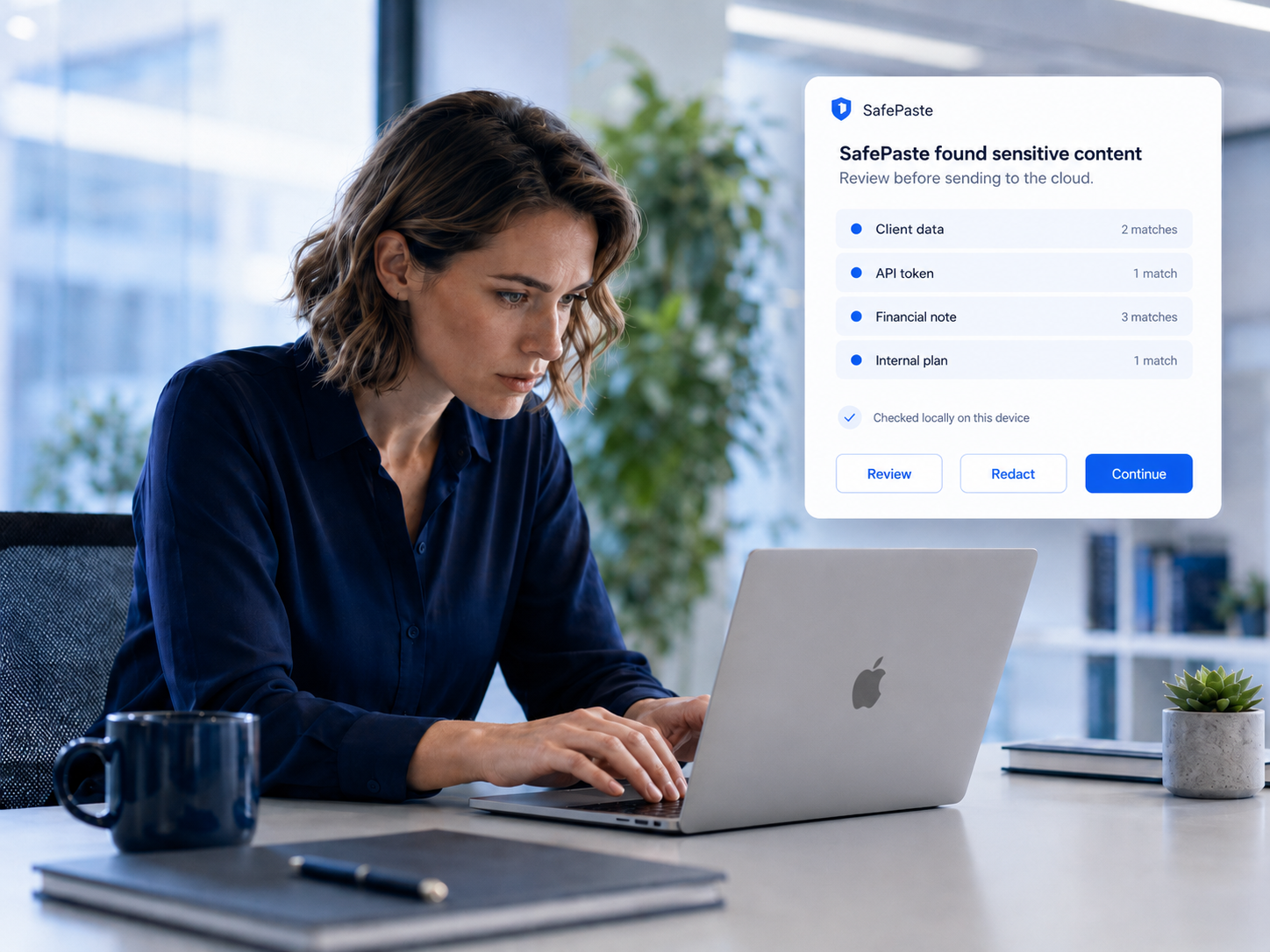
AI privacy protection for every copy-paste workflow

Protect sensitive data before it reaches ChatGPT, Claude, or Gemini. SafePaste is a browser extension and local prompt scanner that checks copied text on your device — so you can use AI with more confidence.

Browser extension for AI privacy. Local prompt security. You stay in control.

Professional reviewing client work before pasting into ChatGPT, Claude, or Gemini

Common risks hidden inside AI prompts

Most AI privacy mistakes do not start with someone trying to share secrets. They start with ordinary copy-paste workflows: logs, tickets, contracts, notes, spreadsheets, and screenshots.

Prevent API keys from being pasted into ChatGPT

Developers often paste logs, stack traces, .env snippets, config files, and terminal output into AI tools. SafePaste helps detect API keys, access tokens, database URLs, and credentials before they leave the browser.

  • API keys and bearer tokens in debug output
  • Database URLs in config snippets
  • Credentials buried in terminal history
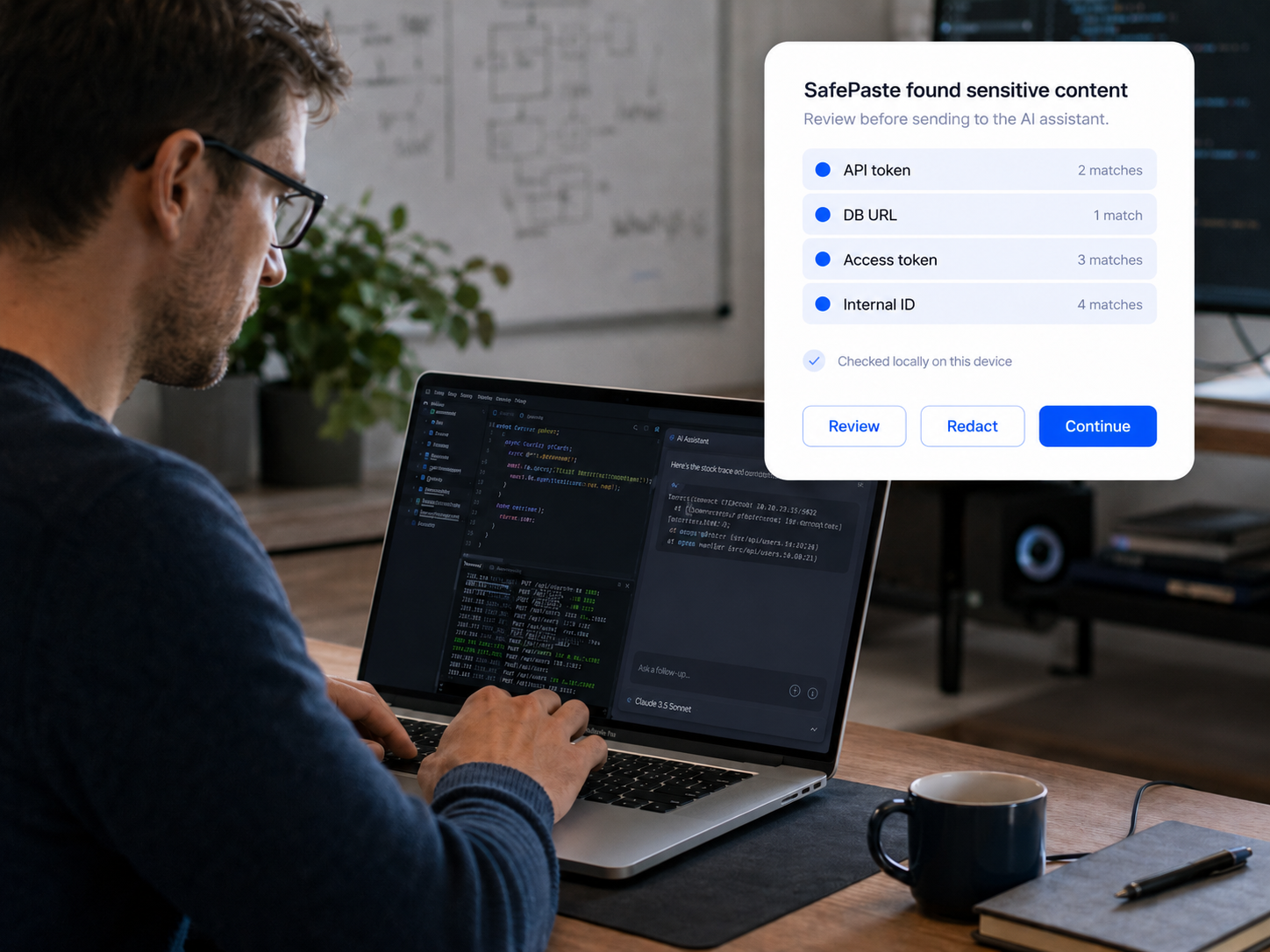
Developer use case →

Protect customer data before using AI

Support tickets, emails, CRM notes, and account logs can contain names, emails, billing details, account IDs, and private customer issues. SafePaste helps catch that context before it reaches ChatGPT, Claude, or Gemini.

  • Support tickets and customer emails
  • Account IDs and billing details
  • CRM notes pasted for quick summaries
Support use case →

Review legal text with an extra privacy check

Contracts, clauses, case notes, and compliance reviews can include client names, negotiation details, personal data, or privileged information. SafePaste adds a local check before legal context is pasted into AI.

  • Contract terms and confidential clauses
  • Client names and case details
  • Privileged notes in compliance drafts
Legal use case →

Reduce financial data exposure in AI prompts

Financial analysis, investor updates, deal notes, forecasts, and revenue numbers often look like normal work context. SafePaste helps flag sensitive business information before it is sent to AI tools.

  • Revenue numbers and private forecasts
  • Deal notes and investor updates
  • Portfolio and client financial details
Finance use case →

Keep internal plans out of public AI chats

Roadmaps, hiring plans, strategy docs, pricing discussions, and internal decisions can be pasted into AI by accident. SafePaste helps teams pause before private company context leaves the browser.

  • Roadmaps and product strategy
  • Pricing and hiring discussions
  • Internal decisions in draft messages

Catch personal information before it goes into AI

Resumes, tax documents, emails, IDs, private notes, and personal messages can include sensitive details. SafePaste gives everyday AI users a local safety layer before they paste.

  • Resumes and tax documents
  • Government IDs and private emails
  • Personal notes pasted for rewriting
Everyday AI use case →

Developers

Prevent API keys and credentials from being pasted into ChatGPT

You copy a stack trace, env file, config snippet, or database URL to debug faster with AI. The paste feels routine — but logs and configs often still carry access tokens, internal IDs, and production connection strings.

What can leak

API keys, bearer tokens, database URLs, private endpoints, and internal service names can end up in AI chat history.

SafePaste acts as a developer AI security tool: it detects API keys and credentials before you paste into ChatGPT, Claude, or Gemini, so you can redact or review instead of leaking by accident.

  • Detect API keys before pasting into AI
  • Catch database URLs in logs and configs
  • Prevent API key leaks during fast debugging
Developer debugging code before pasting sensitive logs into an AI assistant

Founders and operators

Use AI with customer notes, strategy, and internal plans more safely

You paste customer context into Claude to draft a reply, summarize an investor update in ChatGPT, or clean up hiring notes in Gemini. The workflow is natural — and the clipboard often carries pricing, roadmap details, and account-specific context.

What can leak

Customer names, deal terms, pricing, hiring plans, and confidential strategy can leave your internal systems in a single paste.

As an AI privacy tool, SafePaste helps protect sensitive business data in AI prompts — flagging what should not reach the cloud before you send.

  • Protect sensitive business data in AI prompts
  • Catch customer and investor context in drafts
  • Safe copy paste for AI-assisted operations
Founder using AI with customer notes and internal strategy documents

Customer support and success

Protect customer data before using AI to summarize or draft replies

Support teams paste ticket threads, email chains, and account notes into AI to move faster. A quick summary request can include billing details, account IDs, and conversation history that should stay inside your support tools.

What can leak

Support tickets, emails, account IDs, billing info, and customer logs are common sources of ChatGPT data leak risk.

SafePaste adds customer data protection for AI workflows — a local check before pasted context reaches an external model.

  • ChatGPT data leak prevention for support teams
  • Flag account IDs and billing details in pasted text
  • Review before sensitive context reaches AI
Support professional reviewing a customer ticket before pasting into AI

Finance and investing teams

Reduce the risk of exposing financial data in AI prompts

Deal notes, revenue breakdowns, forecasts, and portfolio summaries move quickly into AI for analysis and drafting. The numbers feel like working context — not secrets — until they are sitting in a chat log.

What can leak

Revenue figures, client details, fund positions, forecasts, and confidential deal terms can be exposed in a single paste.

SafePaste provides finance AI data protection and works as a compliance tool for AI prompts — checking locally so financial context gets a second look before it leaves the browser.

  • Finance AI data protection on your device
  • Compliance tool for AI prompts in regulated work
  • Redact secrets before using AI on deal notes
Finance professional reviewing confidential numbers before AI analysis

Everyday AI users

Catch personal information before it goes into AI

Emails, resumes, tax documents, private notes, and personal IDs end up in AI prompts for rewriting, summarizing, and planning. The risk is not negligence — it is how convenient copy-paste makes AI feel.

What can leak

Personal emails, government IDs, financial documents, and private health or family details can be pasted without a second thought.

SafePaste helps with safe copy paste for AI — protecting sensitive data in AI prompts before it reaches an external service.

  • Protect sensitive data in AI prompts
  • Local check before personal context leaves your browser
  • Browser extension for AI privacy in daily use
Everyday user reviewing personal notes before pasting into an AI assistant

Frequently asked questions

Clear answers about how SafePaste protects AI prompts locally.

How do I prevent API keys from being pasted into ChatGPT?

Use a local check before you paste. SafePaste helps detect API keys, tokens, and database URLs in copied logs, stack traces, and config snippets — giving you a chance to redact or review before they reach ChatGPT. Prompts are checked on your device and never uploaded to SafePaste.

Can SafePaste detect credentials before I paste into Claude or Gemini?

Yes. SafePaste works as a browser extension for AI privacy across major chat interfaces, including Claude and Gemini. It helps catch credentials and other sensitive context locally at paste time, so you can decide what to send.

Is it safe to paste customer data into ChatGPT?

Customer data in support tickets, emails, and account logs can easily end up in AI chat history. SafePaste adds customer data protection for AI workflows by flagging names, billing details, and account context before paste — but you should still treat external AI tools as outside your support systems.

What is a local prompt scanner?

A local prompt scanner checks AI prompts on your device before they are sent to a cloud service. SafePaste runs this check in the browser at paste time, so sensitive context can be caught in the moment — without uploading your text for analysis. Learn more in our privacy policy.

How does SafePaste help redact secrets before using AI?

When SafePaste flags sensitive text, you can review what was found, redact specific details, continue with a cleaner prompt, or cancel the paste. It does not replace your judgment — it gives you one more chance to catch secrets before using AI.

Does SafePaste upload my prompt to its servers?

No. SafePaste checks content locally in your browser. Your pasted text is not sent to SafePaste servers for scanning. You stay in control of what happens next. See our privacy policy for details.

Who should use an AI privacy browser extension?

Anyone who copies real work context into ChatGPT, Claude, or Gemini — developers debugging with logs, support teams drafting replies, finance and legal teams reviewing sensitive text, founders working with customer notes, and everyday users pasting personal information.

How is SafePaste different from manually reviewing every prompt?

Manual review depends on catching every sensitive detail yourself, every time you move fast. SafePaste adds an automatic local check at the paste moment — surfacing risk you might miss, while still leaving the final decision with you. Try SafePaste on your next paste.

See how the product works, read our privacy policy, or install SafePaste to add a local check to your next paste.

Protect sensitive data before your next AI paste.

A local prompt scanner for ChatGPT, Claude, and Gemini — checked on your device, never uploaded for scanning.